


Challenger Tampines | What I Found at Each Store
I have always found Challenger useful when I want to look at technology in person rather than buying everything online. Checking against multiple independent brand and reseller directories, there are genuinely two Challenger outlets in Tampines, at Tampines 1 and Tampines Mall. Both let me see products on display instead of relying entirely on specifications and photographs, look at the size, feel the keyboard, check how an accessory connects, and compare different options before spending money.
My Experience Shopping at Challenger Tampines
The first thing I noticed about Challenger in Tampines is how convenient the two confirmed locations are. With outlets around the major shopping area, I can fit a technology purchase into an ordinary day rather than making a special trip just to visit an electronics store. I also don’t always visit Challenger with a specific product already chosen, sometimes I go in knowing I need a new mouse or charger, but I want to compare several models before deciding, and that’s where the in-store experience is useful.
Challenger Tampines 1
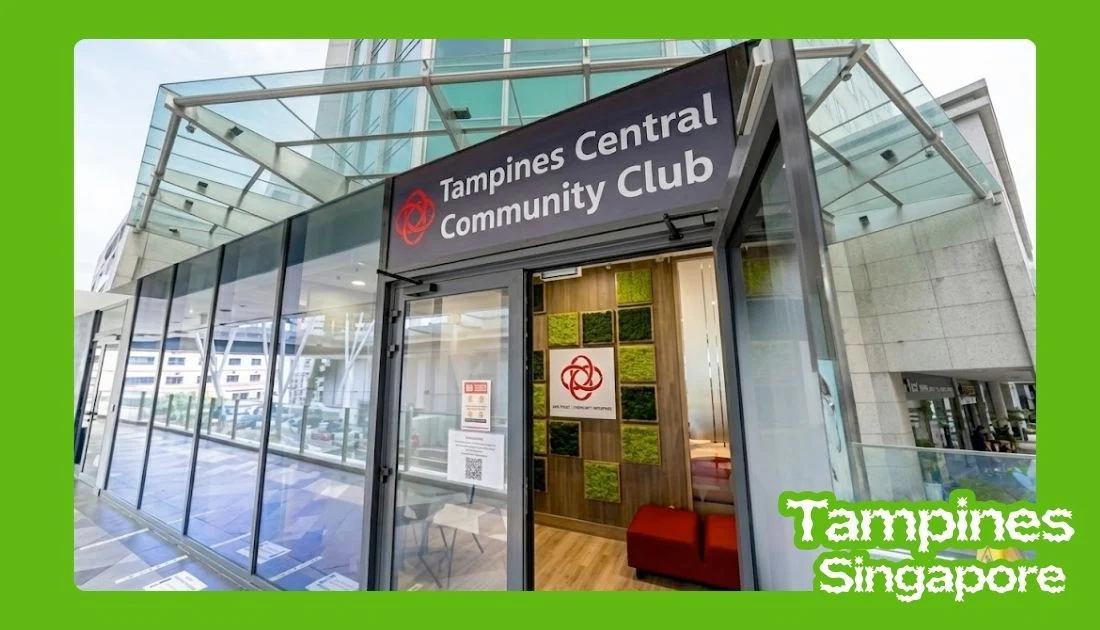
Challenger at Tampines 1, confirmed at 10 Tampines Central 1, #04-24/25, Singapore 529536, open 11am to 9:30pm daily, is one of the locations I’d naturally consider when already shopping around Tampines Central. What I like about this location is the convenience, combining a technology purchase with other errands instead of travelling somewhere specifically for electronics.
When I browse here, I usually start by looking at the sections that match what I need rather than walking through the entire store. If shopping for a laptop, I’ll pay attention to the different screen sizes, specifications, keyboards, and overall build. If only replacing an accessory, I can usually get what I need much more quickly.
What I Personally Look For
- Laptops and computing products
- Computer accessories
- Keyboards and mice
- Headphones
- Chargers and other everyday accessories
- Gaming products
- Smart devices
Challenger Tampines Mall
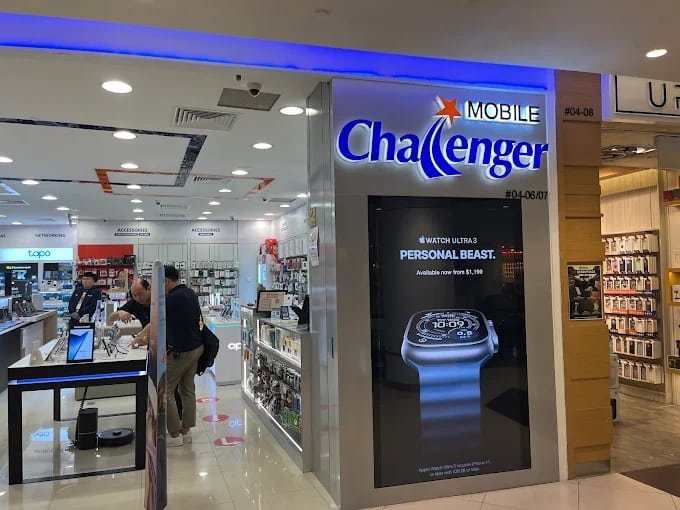
Challenger at Tampines Mall, confirmed at 4 Tampines Central 5, #04-06/07, Singapore 529510, is another convenient option when already spending time around Tampines Mall. Worth knowing: this outlet operates as a “Challenger mini,” a smaller-format store compared with the full-size Tampines 1 location, so the range on display may be somewhat narrower, particularly for larger items like desktops or bigger laptop selections.
For me, the biggest advantage is how easy it is to combine technology shopping with the rest of my day. I might be there for food, shopping, or another errand and decide to check Challenger while I’m there, particularly useful for smaller purchases since I don’t need to make a separate journey.
A Note on Our Tampines Hub
I want to flag something here rather than repeat it as settled fact: I checked multiple independent brand and reseller directories, official listings that comprehensively cover Challenger’s locations across Singapore, and none of them mention a Challenger outlet at Our Tampines Hub. I’d treat this as unconfirmed rather than assume it exists, and I’d check Challenger’s own current store locator directly if this specific location matters to your plans.
What I Personally Like Shopping For
Laptops
Laptops are one of the products where I particularly prefer visiting a physical store. Online specifications tell me about the processor, RAM, and storage, but they don’t tell me everything I want to know. When looking at a laptop in person, I pay attention to the keyboard, screen, weight, and overall feel, and I think about what I’m actually going to use it for. A student who mainly needs a machine for documents and browsing has very different requirements from someone editing videos or playing demanding games. I wouldn’t automatically choose the most powerful model, I prefer matching the specifications to what I actually need.
Desktops
I find desktop shopping more interesting when building a more permanent setup, considering the monitor, keyboard, mouse, speakers, and other accessories at the same time rather than just the computer itself. One thing I personally check is whether the components and accessories are suitable for the system I’m considering, compatibility can matter more than simply choosing the most expensive accessory.
Tablets
Tablets are another product where seeing the device in person helps, I usually pay attention to screen size and weight first, since those affect how comfortable the device feels. If buying one mainly for browsing, watching videos, or taking notes, I don’t necessarily need the same specifications as someone using it for creative work. I also look at accessories such as cases, keyboards, and styluses, since they can change how useful the tablet becomes.
The Accessories I Usually Check
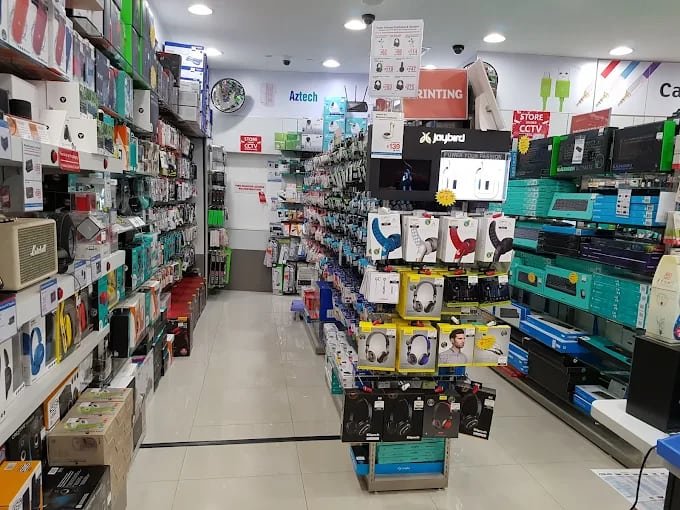
Keyboards
Keyboards are surprisingly easy to underestimate until I actually use them. I pay attention to key feel, size, and layout, something straightforward and comfortable for office work, or something with a different switch type for gaming or long typing sessions. I also consider whether I want a wired or wireless setup.
Mice
A mouse is another product I prefer to hold before buying, since shape can make a noticeable difference, particularly for several hours of daily use. For normal office work, I don’t necessarily need a high-end gaming mouse, if gaming, I look more closely at sensitivity, buttons, and responsiveness.
Headphones
I look at the fit, size, and controls, as well as wireless connectivity and noise cancellation where available. For working or studying, comfort becomes particularly important, since I may be wearing them for several hours. For gaming, I pay more attention to the microphone and how the headset is designed for longer sessions.
Chargers
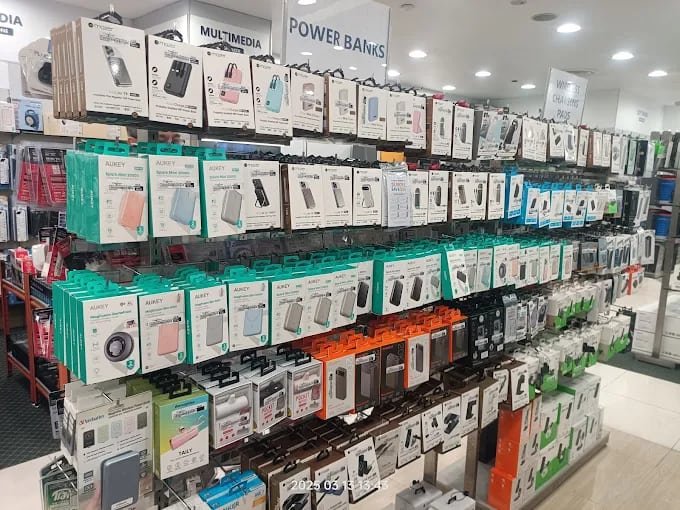
Chargers are probably one of the easiest purchases to get wrong if I don’t check compatibility. I look at the connector, charging speed, and power requirements rather than simply choosing the cheapest option, wattage matters particularly for laptop chargers or multi-device charging, and this is one situation where I appreciate asking staff about compatibility instead of guessing.
Smart Devices

Smart Watches
Smart watches interest me because there can be significant differences between models even when they look similar, battery life, phone compatibility, fitness features, notifications, and overall design. If considering one for everyday use, I want something I’d actually be comfortable wearing throughout the day rather than choosing based purely on feature lists.
Fitness Trackers
Fitness trackers are more straightforward, I mainly look at activity-tracking features, battery life, display, and smartphone compatibility, and I consider whether I really need the additional features offered by a more expensive model.
Cameras and Photography Products
Camera specifications can become complicated very quickly, so I prefer looking at the physical size and controls as well as reading the technical details. I also remember to consider accessories, memory cards, batteries, cases, and tripods can all become part of the overall cost. For beginners, I’d personally focus on understanding what type of photography the camera will actually be used for before choosing a model.
Gaming Products

Consoles
When looking at a console, I don’t only consider the hardware, I also think about the games I want to play, storage requirements, controllers, and additional accessories that might be needed. For family gaming, priorities differ from someone buying primarily for competitive gaming.
Gaming Peripherals
This is probably where I notice the biggest difference between online shopping and visiting a store. I can physically look at a gaming mouse, keyboard, or headset and get a much better sense of its size and design, key feel for keyboards, shape and weight for mice, comfort and microphone design for headsets.
How I Approach Deals and Promotions
One thing I don’t do is assume the cheapest-looking price is automatically the best deal. If making a larger purchase, I compare the total package, a laptop that comes with useful accessories may be more interesting than a slightly cheaper laptop that requires buying everything separately. I also check the current promotion before purchasing, since technology prices and promotional offers can change.
Challenger Membership
If likely to shop at Challenger regularly, rewards or member promotions can become more useful over time. For someone who only visits occasionally, I’d first look at the actual purchase price and current promotion rather than assuming membership automatically makes every purchase cheaper.
Getting Help From Staff
One thing I appreciate about physical electronics stores is having someone available for a compatibility question. If unsure whether an accessory works with a particular device, I’d rather ask than buy something and discover the problem later. For warranty or repair-related matters, I’d bring the relevant purchase documentation and check the current support process rather than assuming every issue is handled directly in-store.
My Tips Before Visiting
I usually check the product I want online before visiting, not to automatically buy it online, but to understand the basic specifications and price range first, so I can concentrate on comparing the physical products once there. I also check stock before travelling if looking for a specific laptop, console, or other high-demand product.
Which Location I Would Visit
For me, the location depends mostly on where I already am. If shopping around Tampines 1, I’ll check the full-size outlet there. If spending the day at Tampines Mall, the smaller “mini” outlet is convenient for everyday accessories, though I’d check ahead for larger items given its more limited format. I wouldn’t necessarily travel across Tampines simply because one branch is better than another, I’d first choose the location that’s most convenient and then check whether it has the product I’m looking for.
A Note on How I Put This Together
Both confirmed locations, addresses, unit numbers, and hours, are drawn from multiple independent brand and reseller directories rather than a single unverified source. I’ve also corrected a real discrepancy: earlier drafts of this piece described a third Challenger outlet at Our Tampines Hub, which I couldn’t find in any of the directories I checked, comprehensive lists that do cover Challenger’s other Singapore locations in detail. I’d treat that third location as unconfirmed rather than plan a trip around it.
My Final Take
After exploring the confirmed Challenger options around Tampines, what I like most is the convenience of having physical technology stores close to where I already spend time. A laptop keyboard feels different from one model to another, a mouse fits each person’s hand differently, headphones have different levels of comfort, even a simple charger can have different power requirements, these are the kinds of things I find easier to understand in person. The two Tampines locations make those purchases convenient because I can fit them into my normal shopping or errands rather than travelling specifically to an electronics retailer.